
Every interface my agent builds looks the same. A gradient headline, one typeface for the whole page, three identical icon squares, a coloured glow under the main button. Yours probably look the same, because every model learned the same look.
Impeccable exists to catch exactly that. It is a design skill plus a command line tool by Paul Bakaus, who created jQuery UI and spent eight years at Google, and it checks your page against 59 detector rules, from plain low contrast to borders only a GPT model draws.
So I pointed it at my own site, the one I wrote by hand. It found one problem.
Ten minutes later I ran the same scan against the rendered page instead of the source files, and it found 79. Same site, same tool. That gap decides whether this skill helps you or quietly lies to you, so start there.
How the three scanners work
Impeccable has three scanners, and what you hand it decides which one runs. Give it a source file and it just matches text patterns. Give it an HTML file and it reads the actual structure. Give it a live URL and it opens the page in a real browser, the only scan that sees your page the way a visitor does.
I wrote the same ugly landing page four ways on purpose and scanned each one.
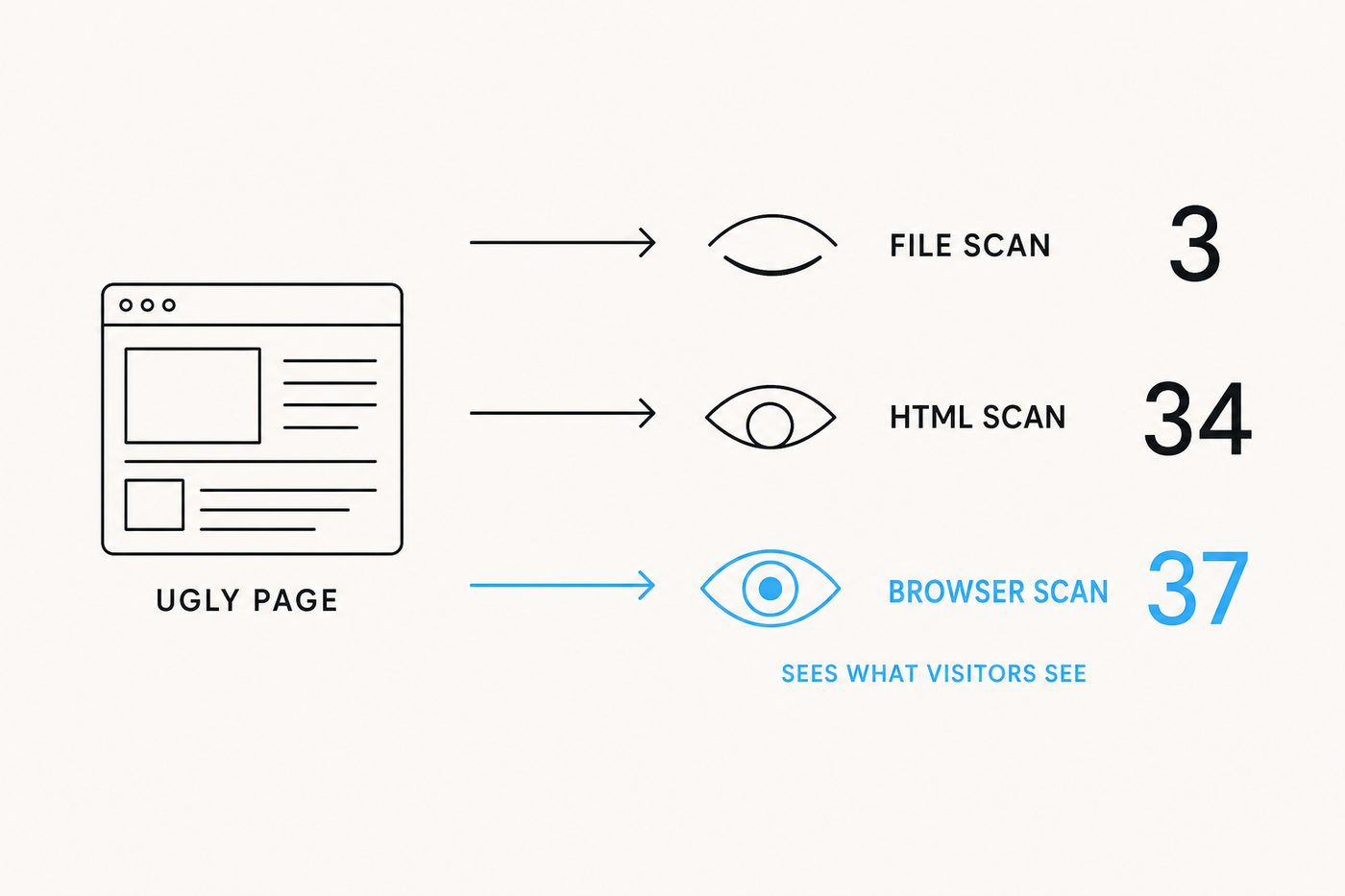
Only the browser caught text lines of 160 characters and body text touching the edge of the screen, because those problems exist on the rendered page and in no source file.
And your agent never sees any of that. It only checks the file it just wrote, so on my test page it found 3 problems while the browser found 37 on the very same page.
One command to install it
npx impeccable install
That adds the skill and a watcher that warns your agent every time a page it just touched still has a problem. I wanted proof that those warnings change the code, so I gave two empty folders the same prompt and installed the skill in one.
The plain folder produced 16 problems. The folder with the skill produced 10, and which rules fell tells you what this tool really is.
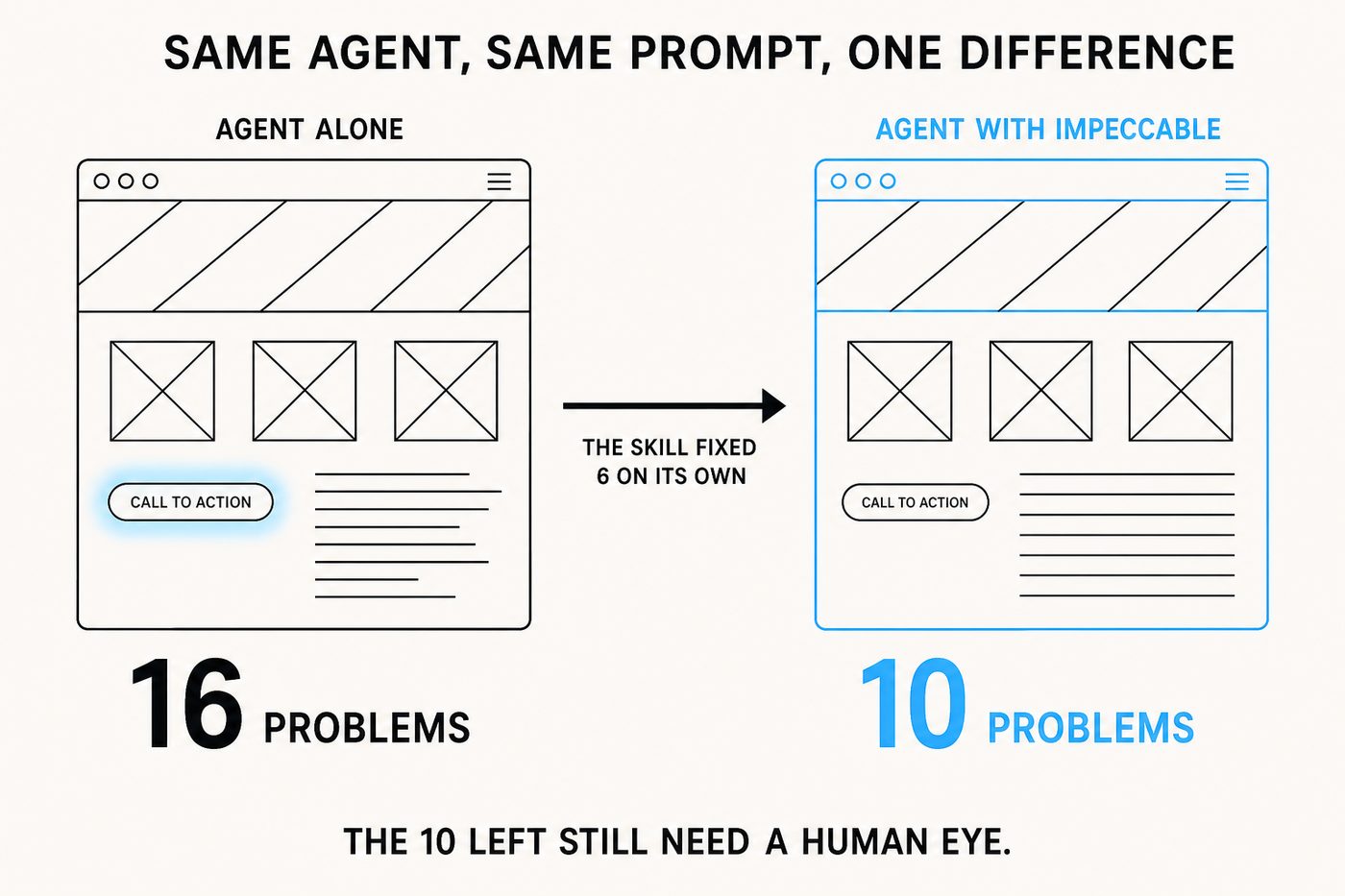
Contrast, glow and line height dropped to zero, and each of those has a number a machine can check. The icon tiles and the gradient headline survived untouched. Most of what survived is taste, but not all of it. A skipped heading level is easy to measure and the skill left it alone too.
The skill raises your minimum quality. It doesn't give you taste, and Bakaus says the same in his a16z essay.
What to watch out for
- The live warnings show only a small part. While your agent works it only hears about a few of the problems. The full report arrives when it finishes, and that one is worth reading. I fed it a page carrying 34 problems and the live warning named exactly one.
- Don't panic at a big number. My site scored 79, but 70 of those were my own brand colour counted over and over. One ignore line reduced it to the nine real ones.
- Don't trust a green check blindly either. In my tests the scan once failed to open the browser and still reported everything as fine, and you will not notice until much later.
Verdict
Install it. It costs one command, and every interface your agent ships after that starts from a higher minimum. It fits teams whose agents ship UI straight to users, and design owners who scan a rendered page before review. Make the URL scan your real check, add the ignore rule for your brand palette on day one, and keep your own eyes on everything a rule can't measure.
- Scan the rendered URL, because file scans run a fraction of the rules
- Add your brand ignore rule first, or one colour will bury every real finding
- Best for teams shipping agent-written interfaces that need one shared minimum standard
- The live warnings only show a part, so read the full report at the end
- Skip it if you expected taste. It removes the obvious marks, not the bad design